How to Customize Your Delivery Pages in Seconds
Choose from multiple professional layouts and switch between them instantly - no technical skills required
Quick answer
You can switch a wedding video delivery page between professional layouts — classic grid, cinematic, hero, and sidebar — in seconds from your delivery settings, with no technical skills required.
One of the most common questions we get from wedding videographers is: “How customizable are the delivery pages?” The answer? Incredibly customizable, yet remarkably simple. The layout options are now prominently displayed right on your delivery management page - no need to hunt for an edit button. You can completely change the look and feel of your delivery pages with just a few clicks, and even preview changes instantly.
It's This Simple
Customizing your delivery page takes literally seconds. The layout options are right on your delivery management page:
- Navigate to your delivery management page
- Find the Delivery Page Style section
- Click on any layout option to select it
- Click Save & Preview to instantly apply and view your changes
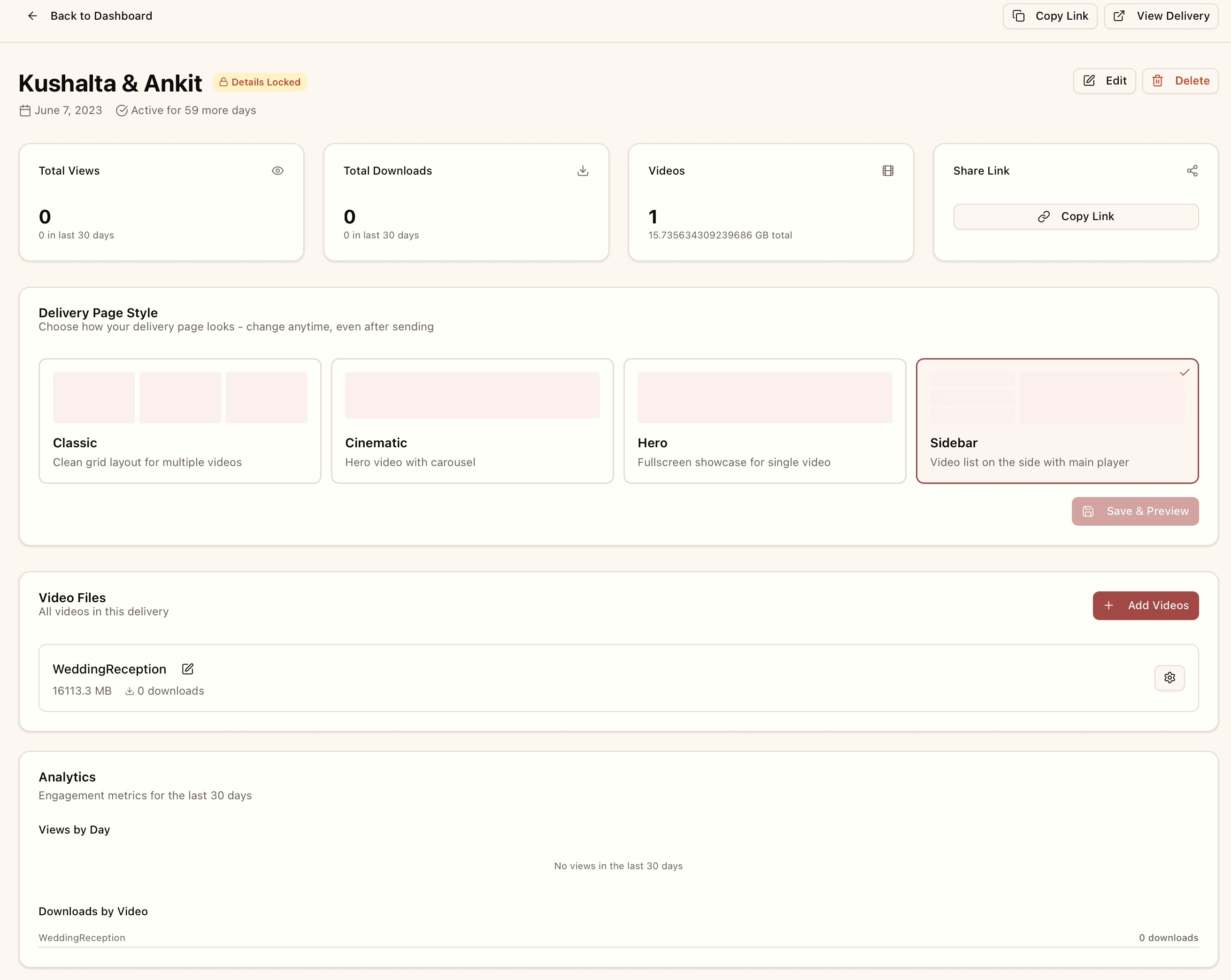
The Delivery Page Style section - directly on your manage delivery page for instant access
Choose From Multiple Professional Layouts
We offer several professionally designed layouts, each optimized for different presentation styles. The best part? You can switch between them anytime to see which one works best for each wedding.
1. Classic Layout
Perfect for weddings with multiple videos. The classic grid layout displays all videos in an organized, easy-to-navigate format.
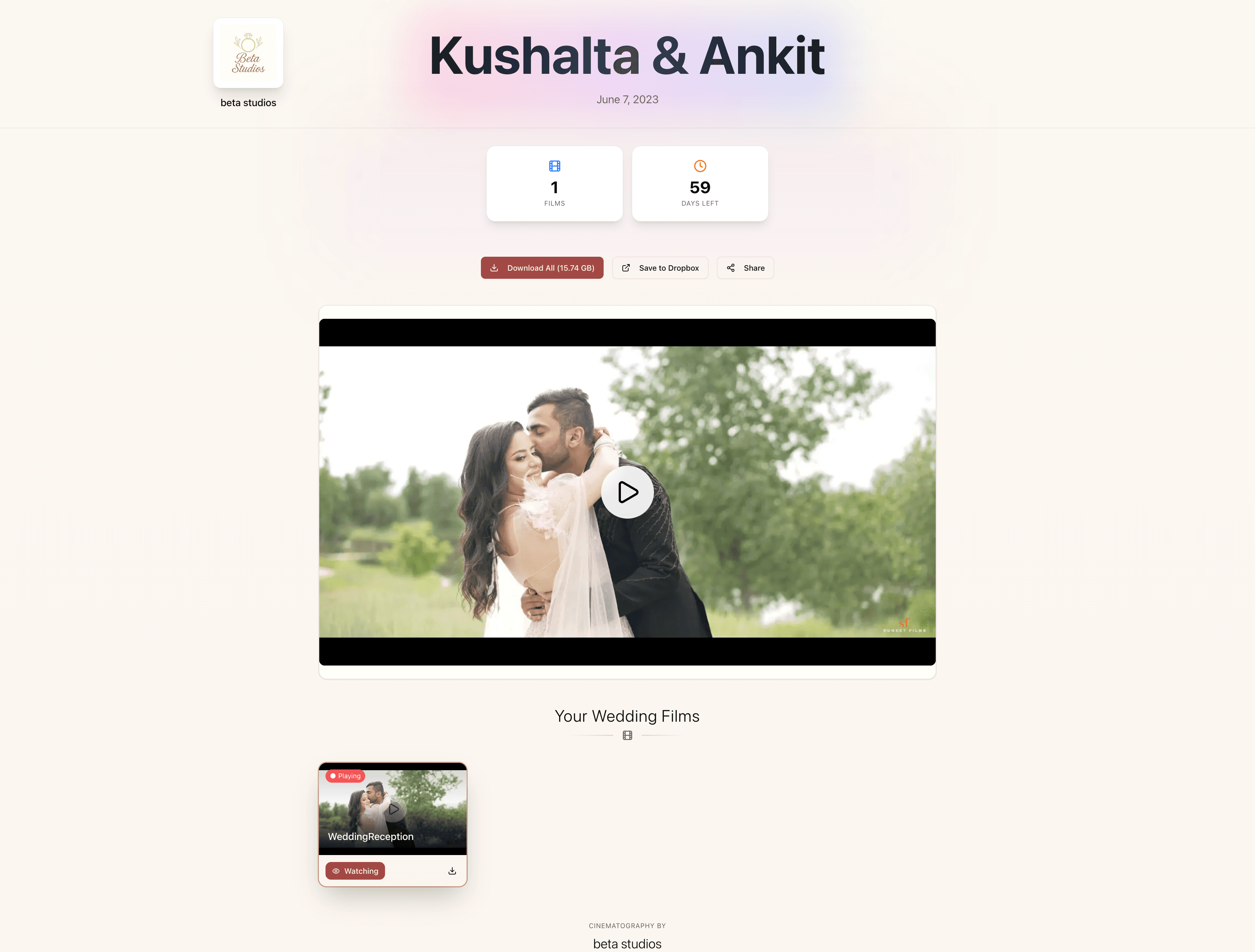
Classic Layout - Clean, organized grid view
2. Netflix Layout
Give your couples a cinematic experience. This layout features a hero video with a sleek, Netflix-inspired design that feels premium and modern.
Netflix Layout - Cinematic, immersive experience
3. Hero Layout
Put the spotlight on the main film. The hero layout creates a bold, fullscreen presentation that's perfect for highlight reels or single-video deliveries.
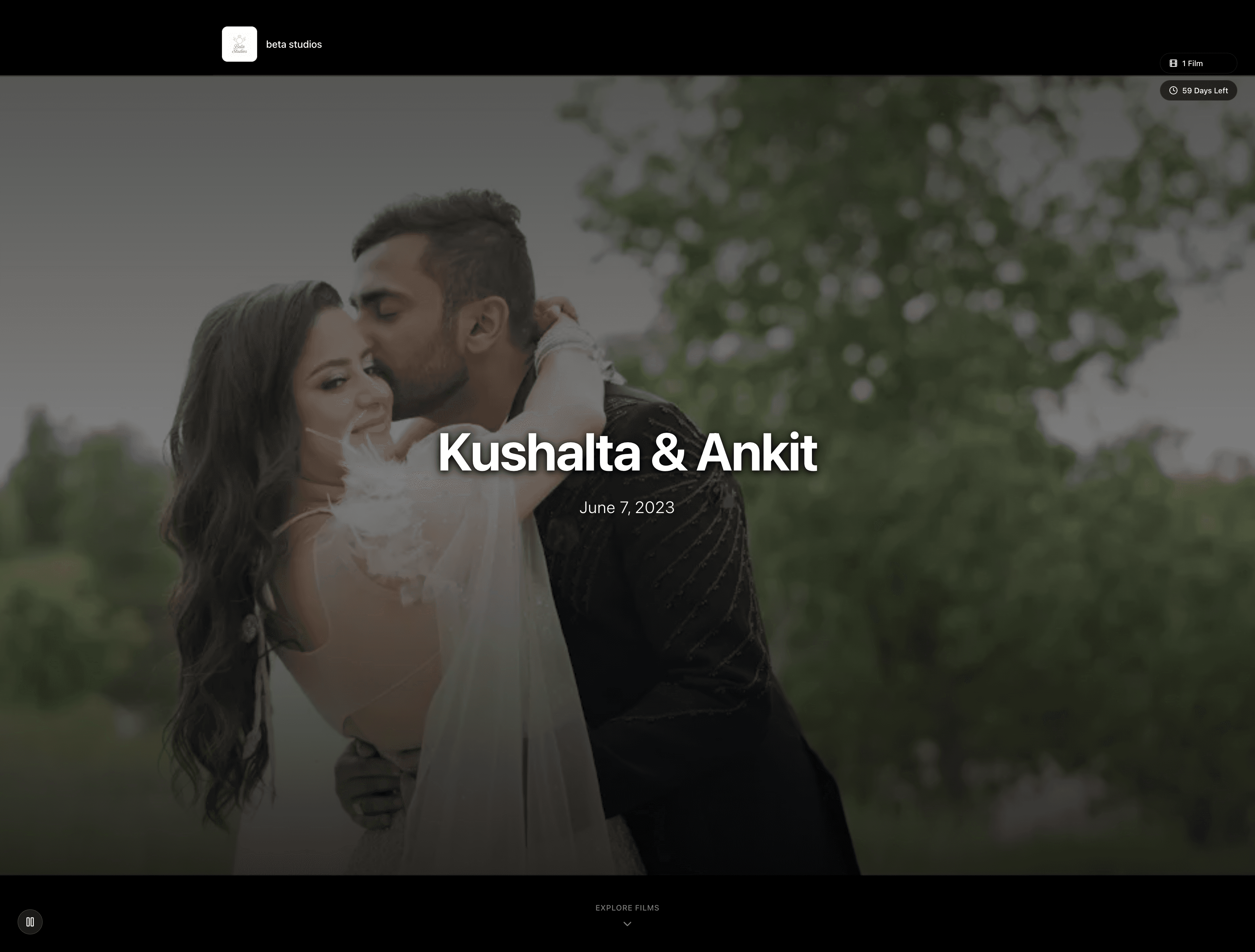
Hero Layout - Bold, fullscreen presentation
Change Anytime - Even After Sending
💡 Pro Tip
Already sent the delivery link to your clients? No problem! You can change the layout anytime, and they'll see the updated design immediately when they visit or refresh the page. Perfect for when you want to surprise them with a fresh look or realize a different layout would work better for their specific video collection.
Test and Compare Layouts
Want to see how different layouts look with your videos? The new workflow makes it even easier:
- Select a layout - Click on any layout option in the Delivery Page Style section
- Save & Preview - Click the button to save your choice and automatically open the delivery page in a new tab
- Compare instantly - Keep the preview tab open and try different layouts
- Find your perfect style - The selected layout is highlighted with a checkmark
Why Easy Customization Matters
As wedding videographers, your time is valuable. You shouldn't have to spend hours customizing delivery pages or learning complex design tools. That's why we've made customization effortless:
- No coding required - Just click and choose
- Instant updates - Changes apply immediately
- Professional results - Every layout is beautifully designed
- Mobile optimized - All layouts look great on every device
More Layouts Coming Soon
We're constantly working on new layout options based on feedback from our videographer community. Currently in development:
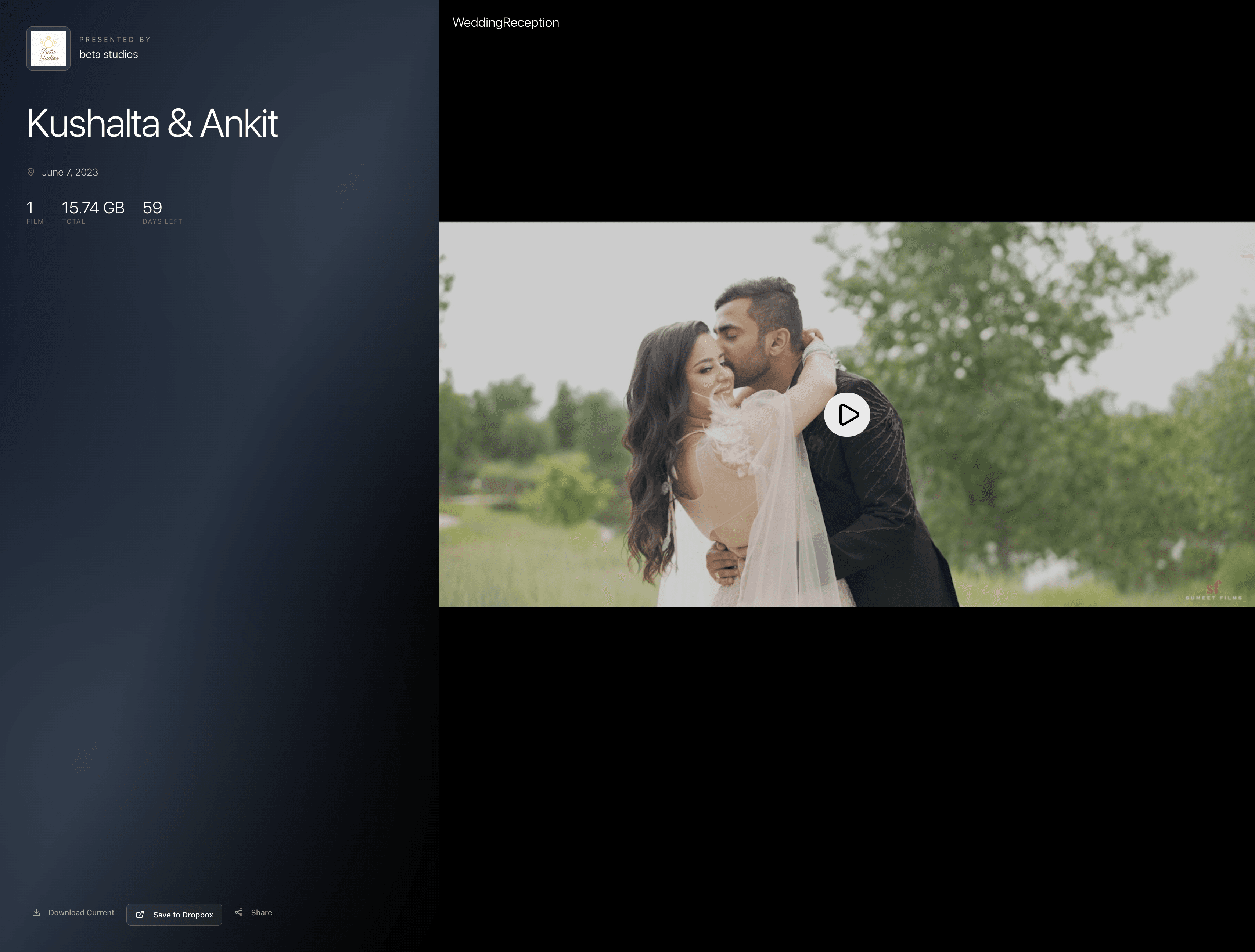
- Sidebar Layout - Video list on the side with main player
- Timeline Layout - Chronological presentation of the wedding day
- Gallery Layout - Photo-grid style for multiple short clips
Start Customizing Today
The best part about viddrop's customization? You don't need to plan it all in advance. Start with any layout, and change it whenever inspiration strikes or when you realize a different style would better showcase your work.
Your clients will love the professional, polished presentation, and you'll love how easy it is to achieve it. No more generic file-sharing links - deliver your wedding films with style that matches the quality of your work.
Ready to Create Beautiful Delivery Pages?
Join videographers who deliver their wedding films with style. Start with our free trial and see how easy customization can be.